Find the good part.
Sample & chopDrop in your audio. Play cuts from the keyboard, loop a chop, and hear your tweaks as you make them. Nudge boundaries, shape the envelope, and put the pieces on your pads.
A hands-on desktop sampler and sequencer.
Chop a sample. Play it your way.
Find the loop you can’t leave alone.
Loading the playable app…
Open full size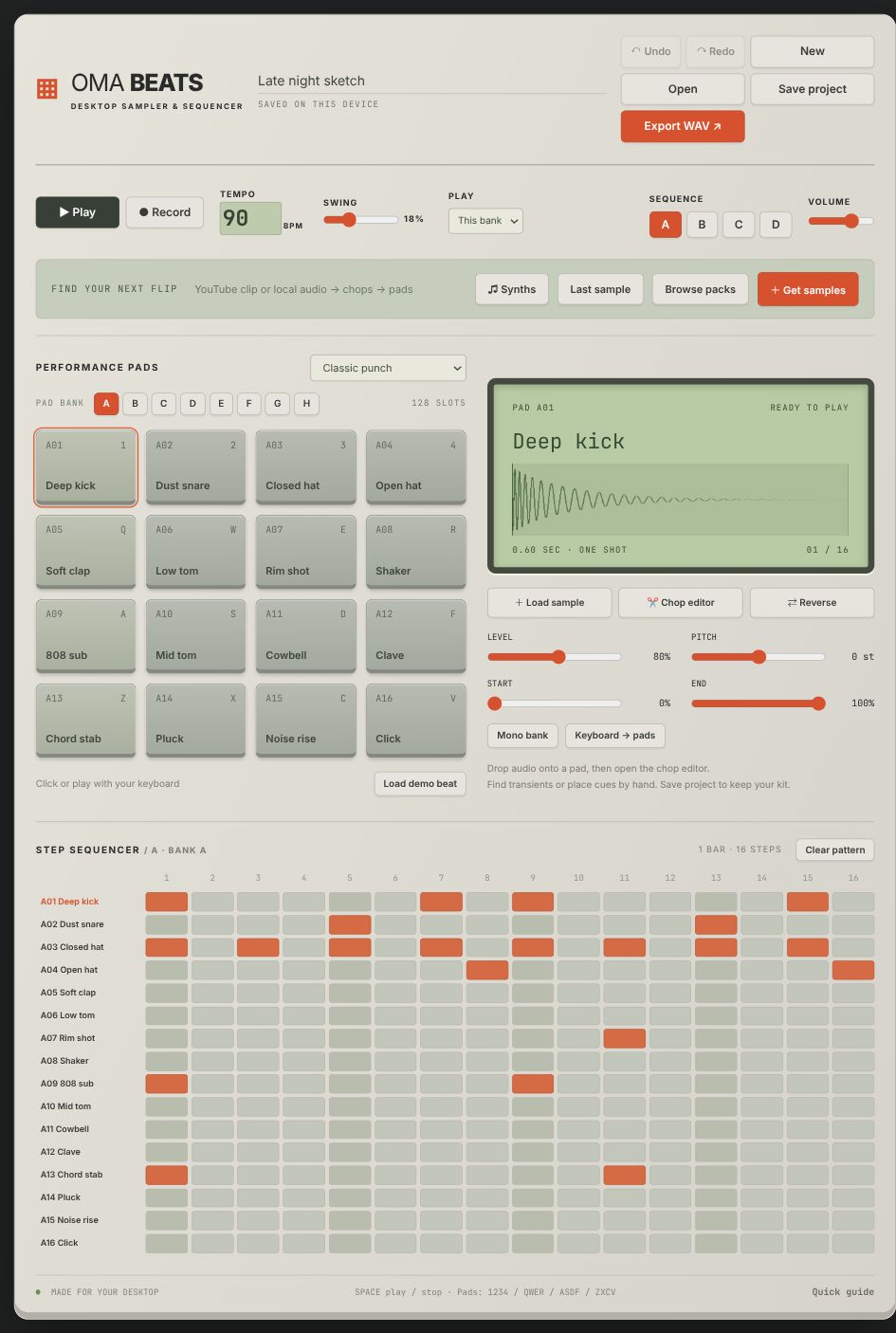
The real Oma Beats interface. Play the pads, edit a pattern, or load your own audio. Your browser session stays on this device.
From the first hit to the last little adjustment. Everything close enough to keep you in the idea.
Drop in your audio. Play cuts from the keyboard, loop a chop, and hear your tweaks as you make them. Nudge boundaries, shape the envelope, and put the pieces on your pads.
Drums over here. Chops over there. Play banks together, or set a bank to mono when one sound should cut the last. Shape eight mixer tracks and arrange your sequences into a song.
Start with a bass, lead, key, or pad. Choose your scale, turn the filter, and shape the envelope. Play live with MIDI or draw notes in the piano roll.
Make it. Keep it. Come back to it. Autosave for the moment. Portable projects and recovery backups for later. Export your song or individual stems when it’s ready.
Read the guide
Six drum kits. 36 synths. Room for your own sounds.
Works offline. No account
needed.
Oma Beats is a standalone desktop app. You don’t need a DAW to use it. It doesn’t currently run as a VST/AU plugin or host external plugins; the 36 synth instruments are built in.
Yes. Unzip your pack, then choose Browse packs → Import pack folder in the app. You can also drag audio onto a pad. Splice and other third-party packs aren’t included; download your sounds through your own account and follow their licenses.
YouTube imports require the desktop app, which has an optional importer with clip boundaries and a direct path to the chop editor. It requires yt-dlp and FFmpeg installed separately. Only import audio you have permission to use. Read the setup guide.
Autosave and your imported library stay on your device. Save a portable .omabeats project to keep a named backup with its audio included, or export a stereo WAV. The website demo is separate and doesn’t save to the desktop app.